A hobby RC transmitter is a box with two sticks, a few switches and a 2.4 GHz radio. An Android phone already has a touchscreen and a USB port. It only lacks the radio. In 2022 I built a small open-source project that adds one: an Android app, an Arduino “ground station” and an NRF24L01 radio that together send stick inputs to a quadcopter running MultiWii.
The code is on GitHub: MultiWii-NRF24L01-Android-Remote-Flight-Controller.
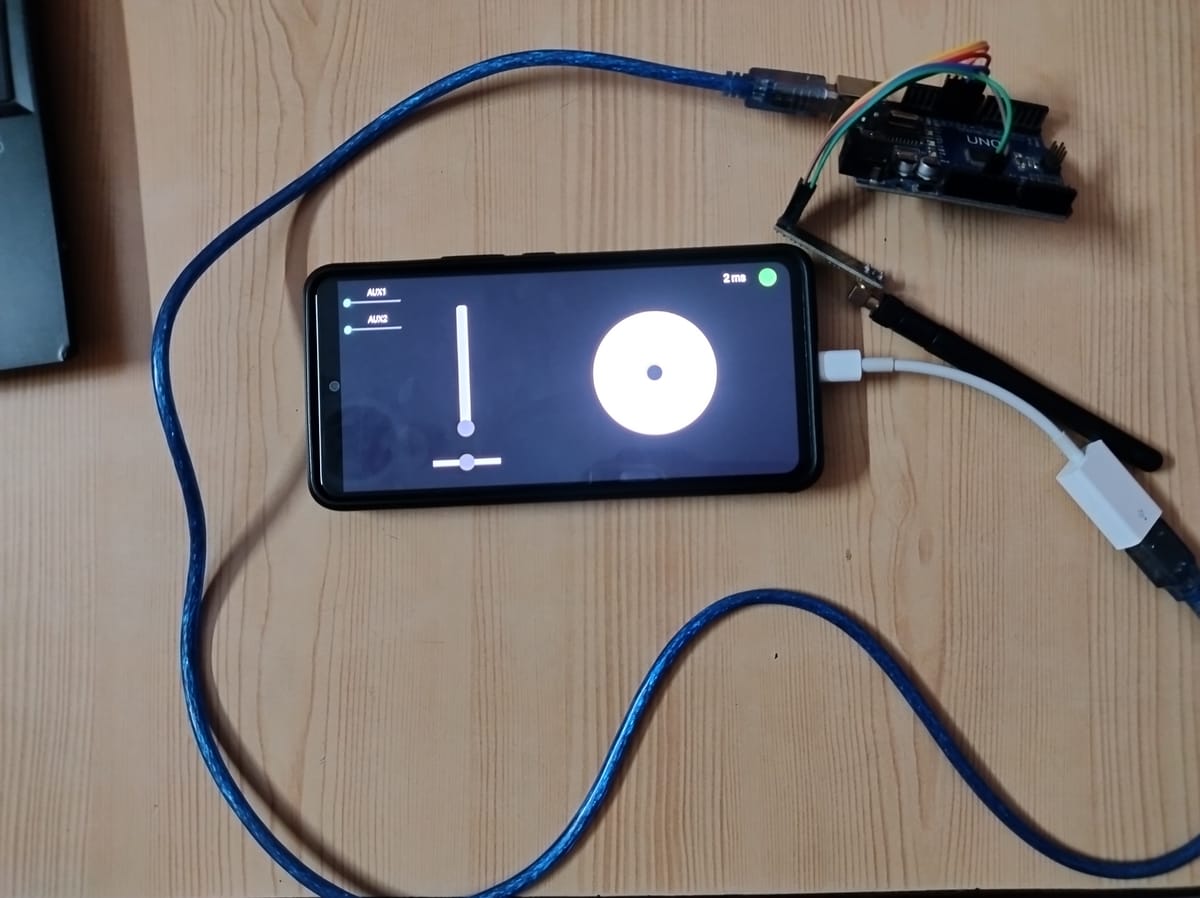
How the pieces fit
Android app (sticks)
   │  USB OTG, 115200 baud
   ▼
Arduino Uno + NRF24L01 (ground station)
   │  2.4 GHz radio
   ▼
NRF24L01 + MultiWii flight controller (on the drone)- The app reads the on-screen sticks and sliders and writes the values to the Arduino over USB serial.
- The ground station Arduino parses those values and transmits them with an NRF24L01 radio.
- The flight controller runs MultiWii 2.4.2 with its NRF24 receiver option enabled. It reads the radio packets and treats them like signals from a normal RC receiver.
The Android app
The app is written in Kotlin. The screen has a vertical throttle slider, a horizontal yaw slider, a round joystick for pitch and roll, and two AUX sliders. MultiWii uses AUX channels for things like arming and flight modes.
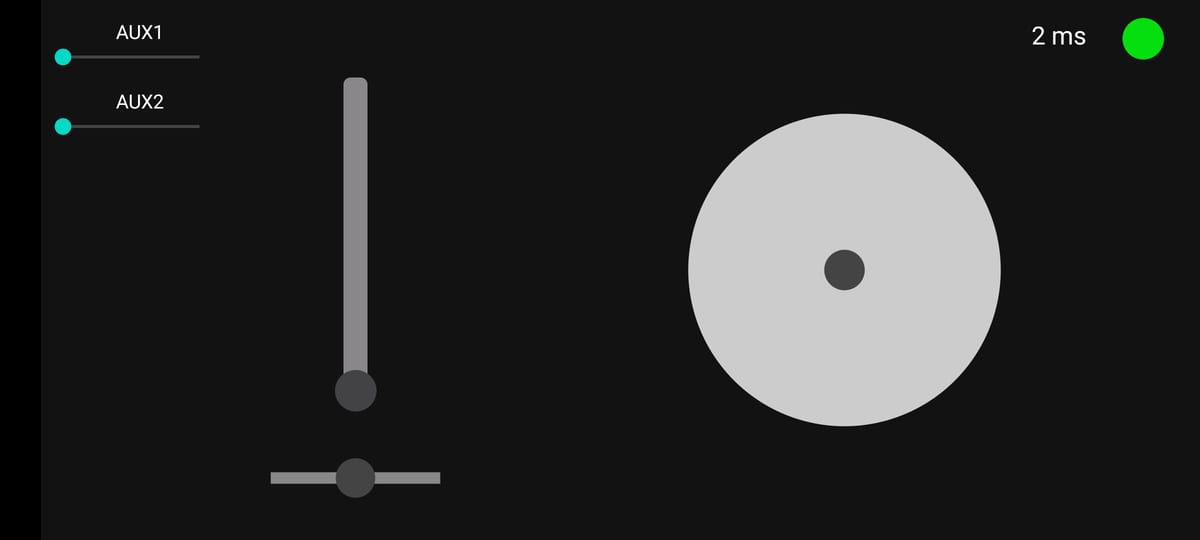
Every control is mapped to the 1000–2000 range that RC flight controllers expect, with 1500 as the centre. For USB I used the drivers from usb-serial-for-android. The app opens the CH34x serial chip found on many low-cost Arduino boards at 115200 baud.
Every 300 ms the app glues the six channels into one string, four digits each, and writes it to the port:
throttle = 1000 + throttleSlider.progress * 10
aux1 = 1000 + mAux1.progress * 10
aux2 = 1000 + mAux2.progress * 10
val string = "$throttle$yaw$pitch$roll$aux1$aux2"
mDevice.write(string.toByteArray(), 5)
Because every value is always between 1000 and 2000, each channel is exactly four characters. The receiver can split the string by position without any separators.
The ground station
The Arduino sketch is adapted from an NRF24 transmitter sketch by Archit Bubber. It waits for a line from the phone, cuts it into six four-character chunks, packs them into a struct and sends it with the RF24 library at 250 kbps on channel 69, at maximum power.
The useful part is what it sends back. After each radio.write, the Arduino replies over USB with either:
- the round-trip time in milliseconds, when the drone’s radio acknowledged the packet, or
Awhen no acknowledgement came back, orIwhen the radio module can’t be found.
The app shows the time with a green dot, or a red dot with “Acknowledgement Failed” or “Initialization Failed”. That turns an invisible radio link into something you can see. The screenshot above shows a 2 ms round trip.
On the drone
The flight controller runs MultiWii 2.4.2 with NRF24_RX turned on. The receiver listens on the same five-byte address (RxAAA) and channel as the ground station, with the radio’s CE and CSN pins on D9 and D10. Each packet is copied straight into MultiWii’s throttle, roll, pitch, yaw, AUX1 and AUX2 channels.
There is also a simple failsafe: if no packet arrives for one second, the receiver resets its values, dropping throttle to zero and re-centring the sticks.
Ideas for taking it further
If you want to build on it, two things are worth changing first:
- Send updates faster. The app sends a new frame every 300 ms, about three times a second. Classic hobby radios send around 50 frames a second, so a shorter interval would make the sticks feel far more responsive.
- Use a binary packet with a checksum. The fixed-width text format is easy to debug, but a compact binary frame with a checksum would be shorter and would reject corrupted packets.
Credits
- MultiWii flight controller firmware (v2.4.2) and its NRF24 receiver support
- usb-serial-for-android for the USB serial drivers
- The joystick and slider widgets from mobile-anarchy-widgets
- Archit Bubber’s NRF24 transmitter sketch, which the ground-station code is based on
Suggestions and pull requests are welcome on the repository.